
* indicates a required fields
Update TRN Certificate
To update the TRN certificate, you must first log in to your NOC account using your email and password.
-
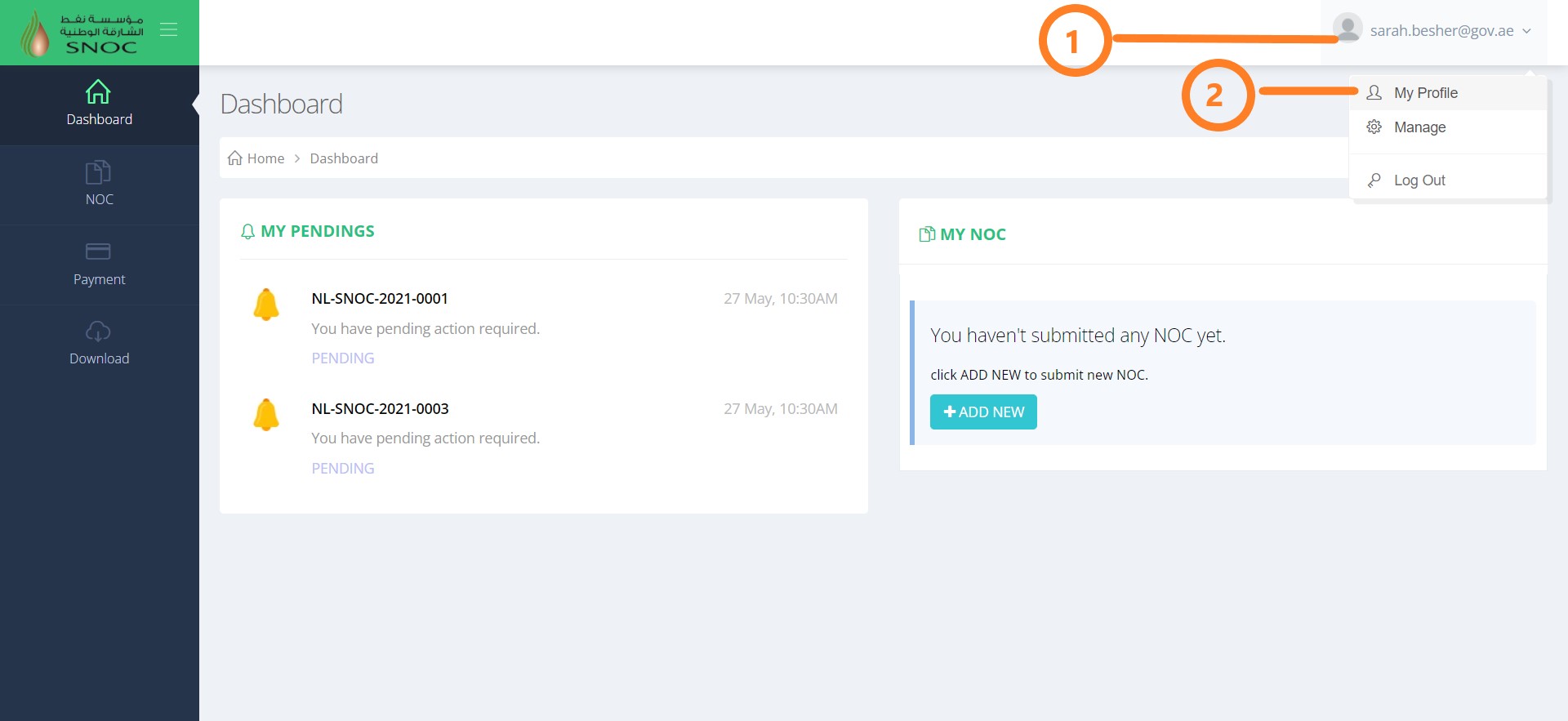
Click on the “Profile Picture" in the top right-hand corner of the screen, then click My Profile.
-
You are now on your Profile screen. Click the Attachment tab.
The screen contains your TRN and Trade License Information.
You can now enter your information into the fields listed or edit existing data.
Note: Fields with * are mandatory. If you click Save Changes when a required field is blank, you will receive an error message.
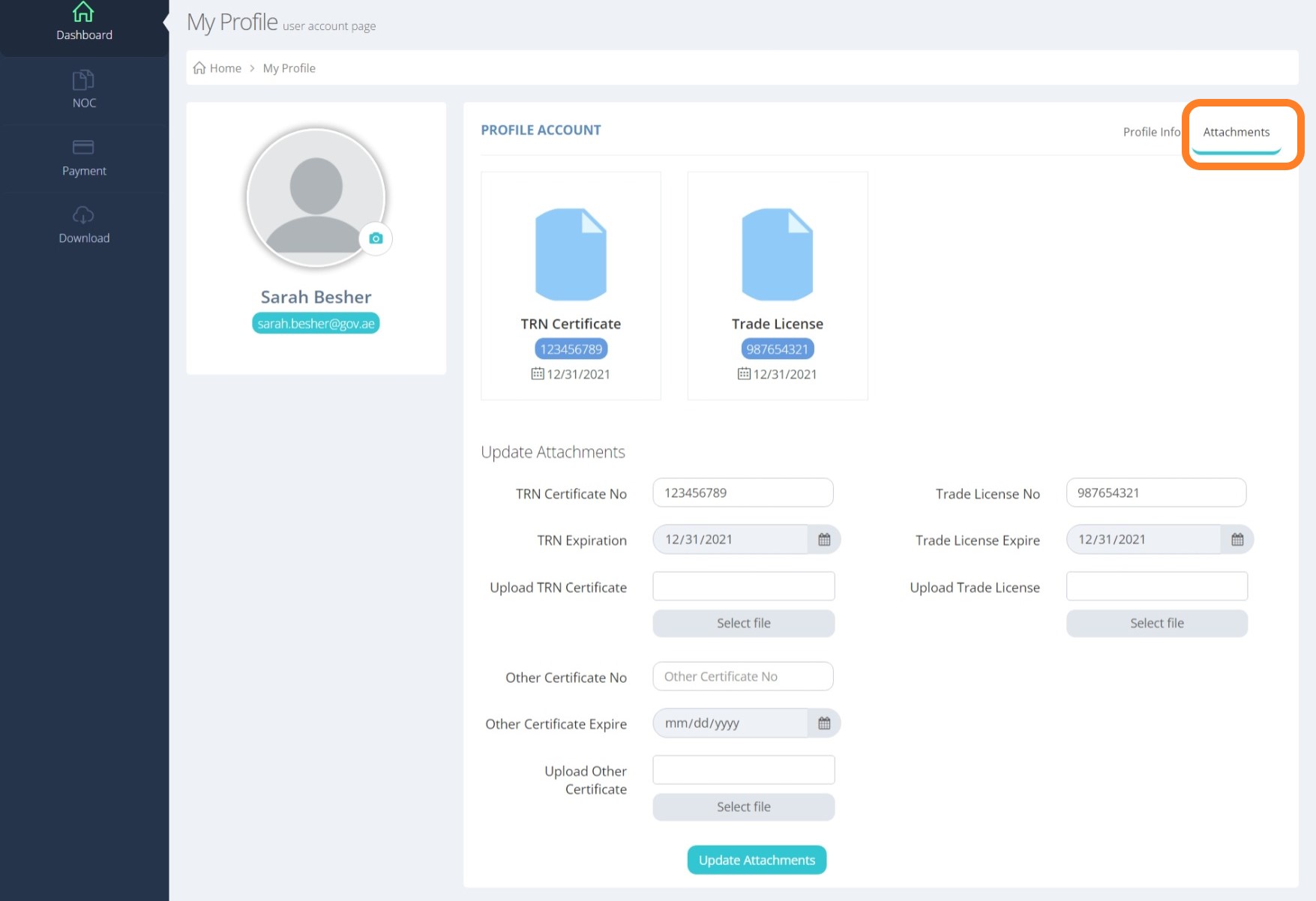
- When you are finished editing your attachments, click Update Attachments.
Update Trade License
To update the Trade License, you must first log in to your NOC account using your email and password.
-
Click on the “Profile Picture" in the top right-hand corner of the screen, then click My Profile.
-
You are now on your Profile screen. Click the Attachment tab.
The screen contains your TRN and Trade License Information.
You can now enter your information into the fields listed or edit existing data.
Note: Fields with * are mandatory. If you click Save Changes when a required field is blank, you will receive an error message.
- When you are finished editing your attachments, click Update Attachments.