
Help
Forgot Password
If you are not able to log in and you wish to reset your password, follow these simple steps:
- Go to our website using the following link: https://noc.snoc.ae/account/elogin
-
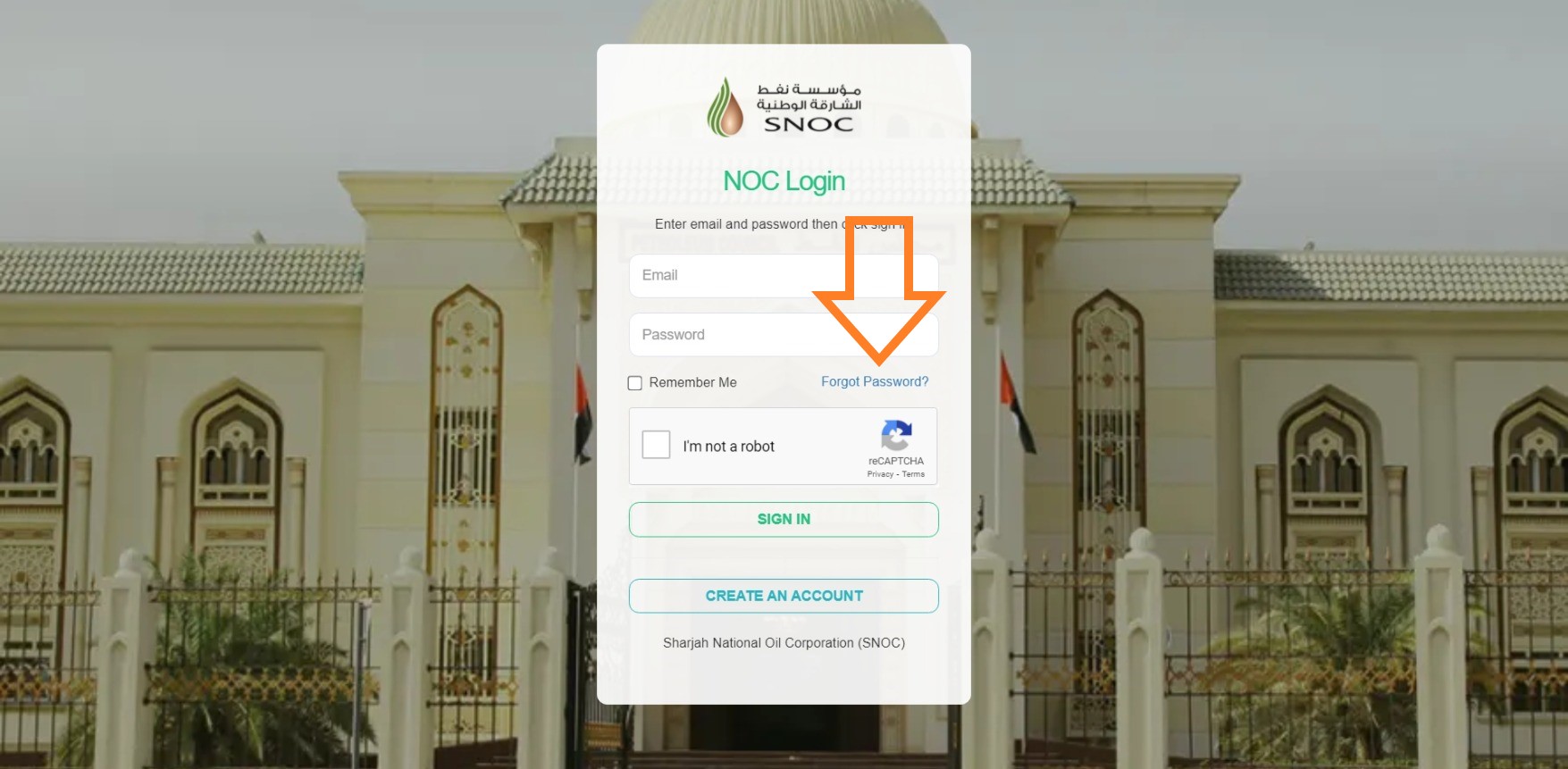
Click on the option "Forgot password? ".
-
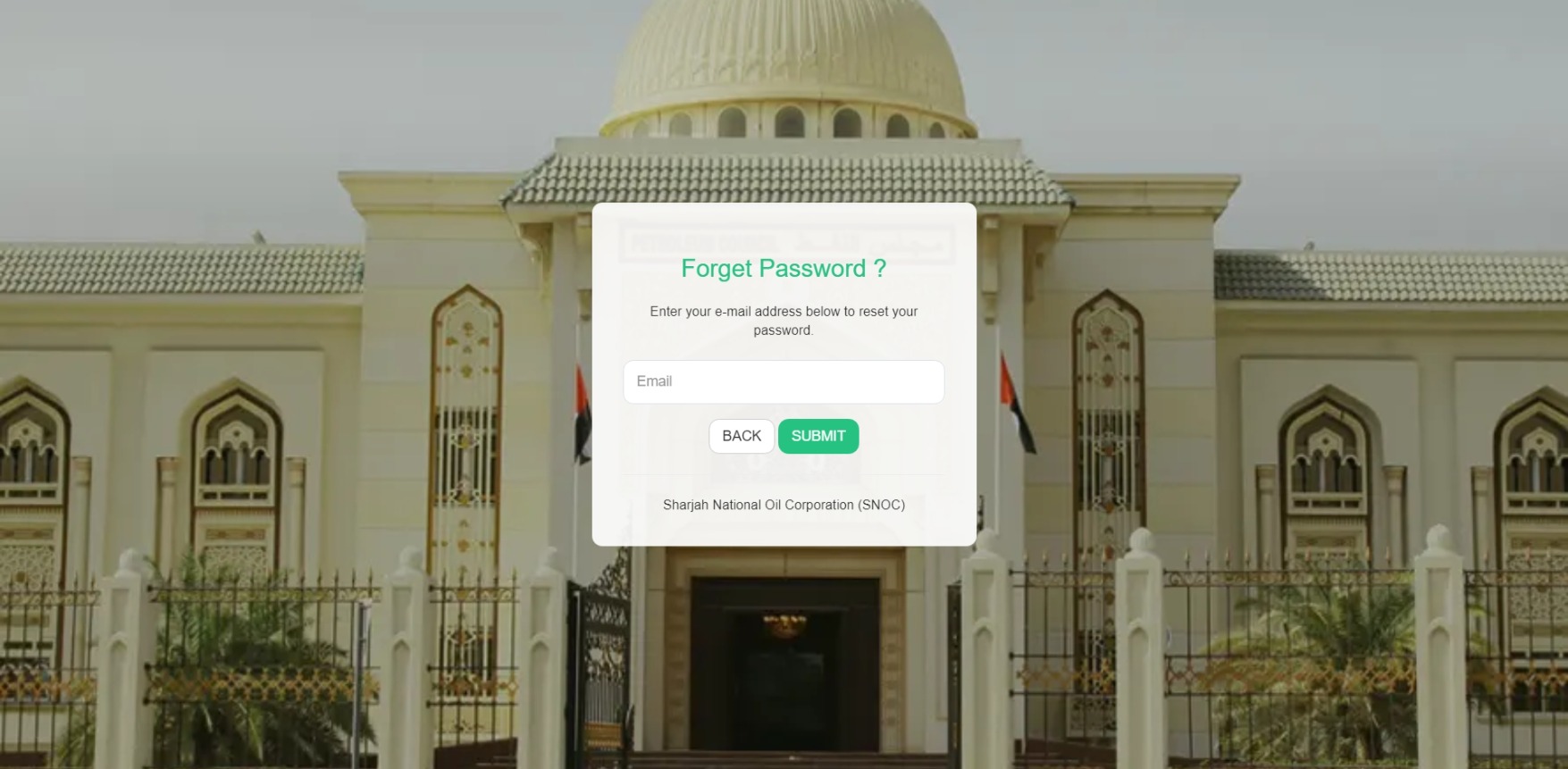
You will be re-directed to the following page. Once there, add your email address and click on submit.
-
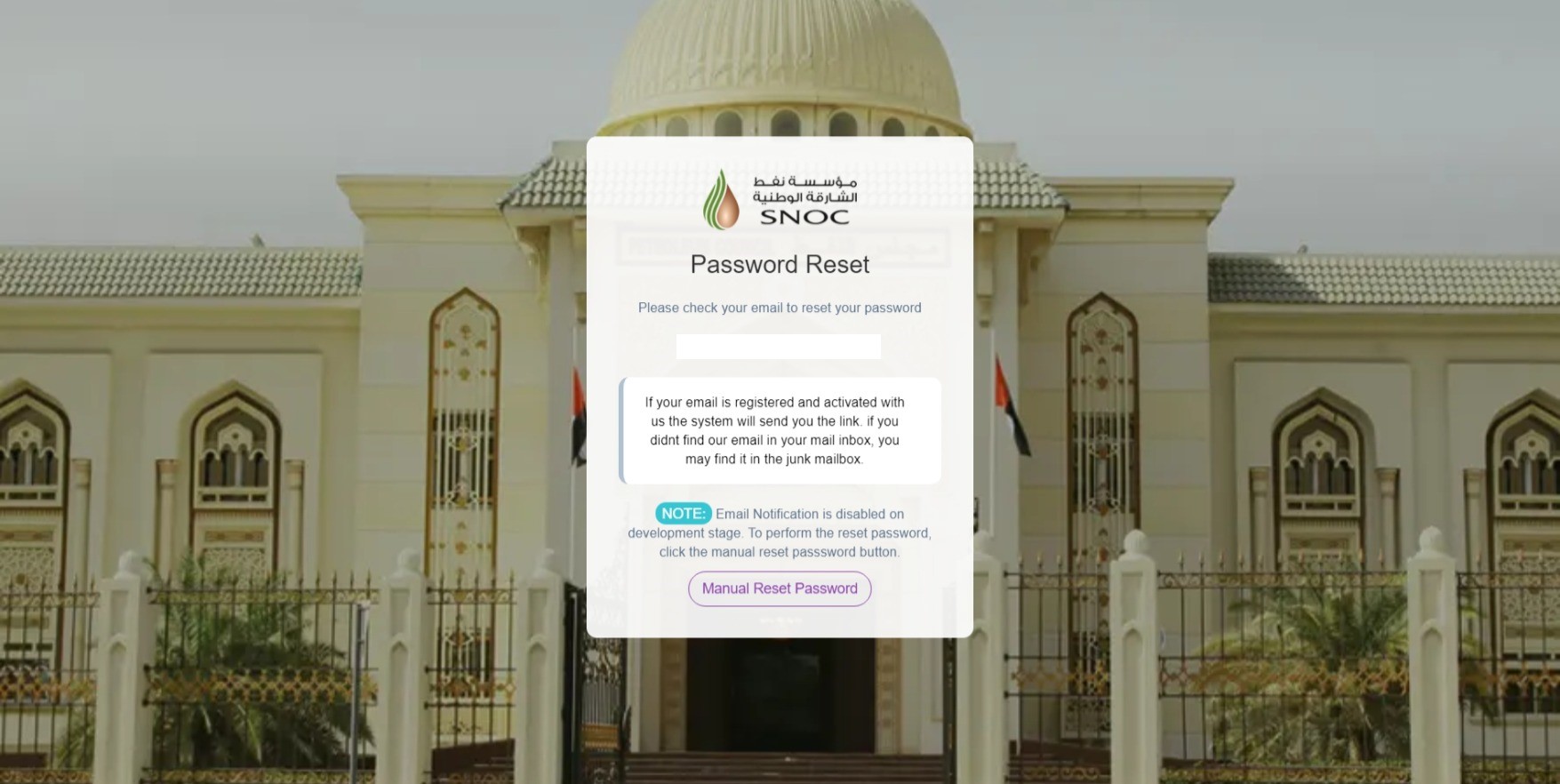
You should receive an email confirmation with a link.
-
Click on the link, and you will be re-directed to the new password page:
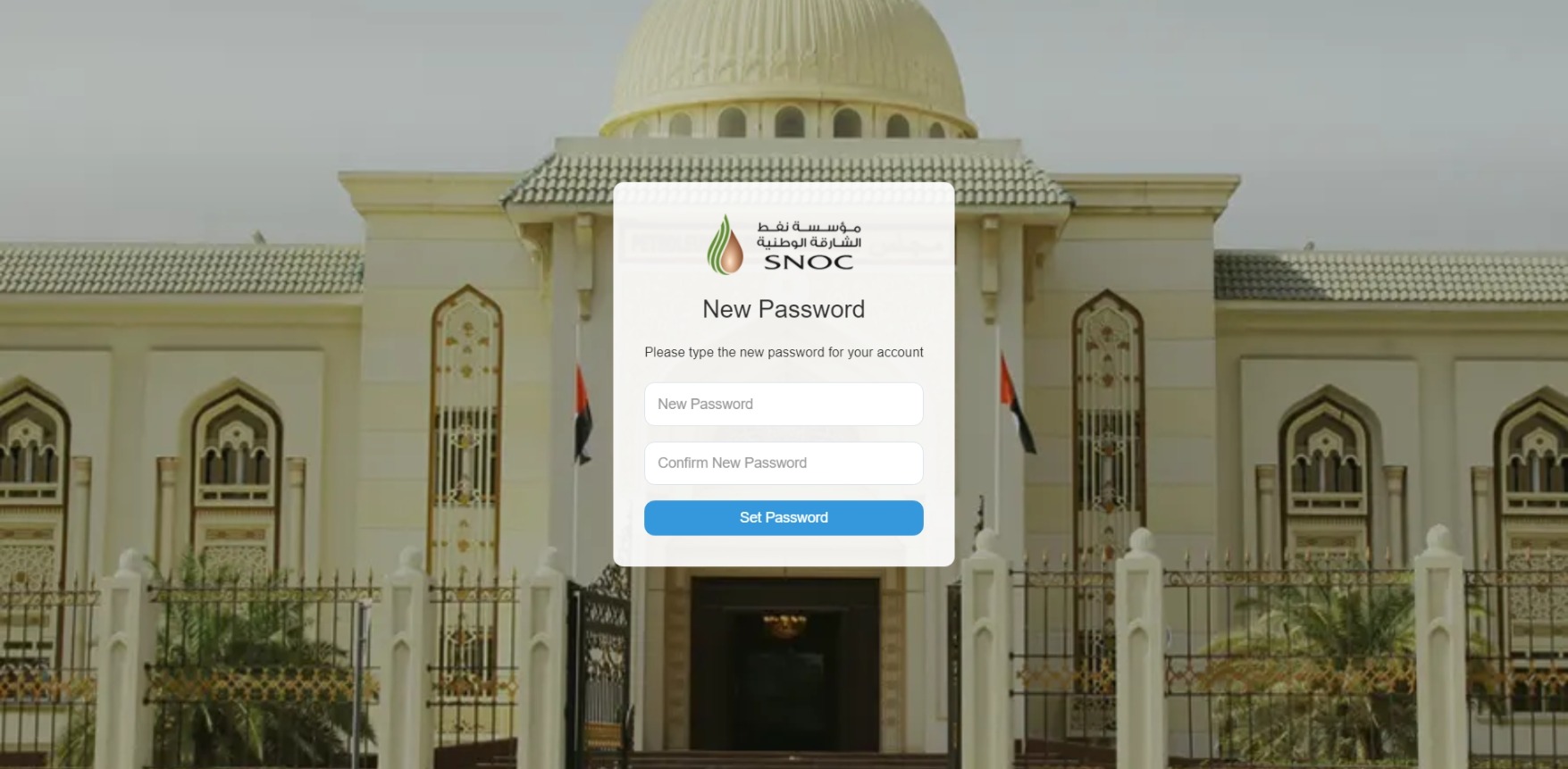
- Enter your new password twice and click on Set Password. Once done, log in using your new password.