
Change Password
You must first log in to your NOC account using your email and password to change your account password.
-
Click on the “Profile” picture in the top right-hand corner of the screen, then click Manage.
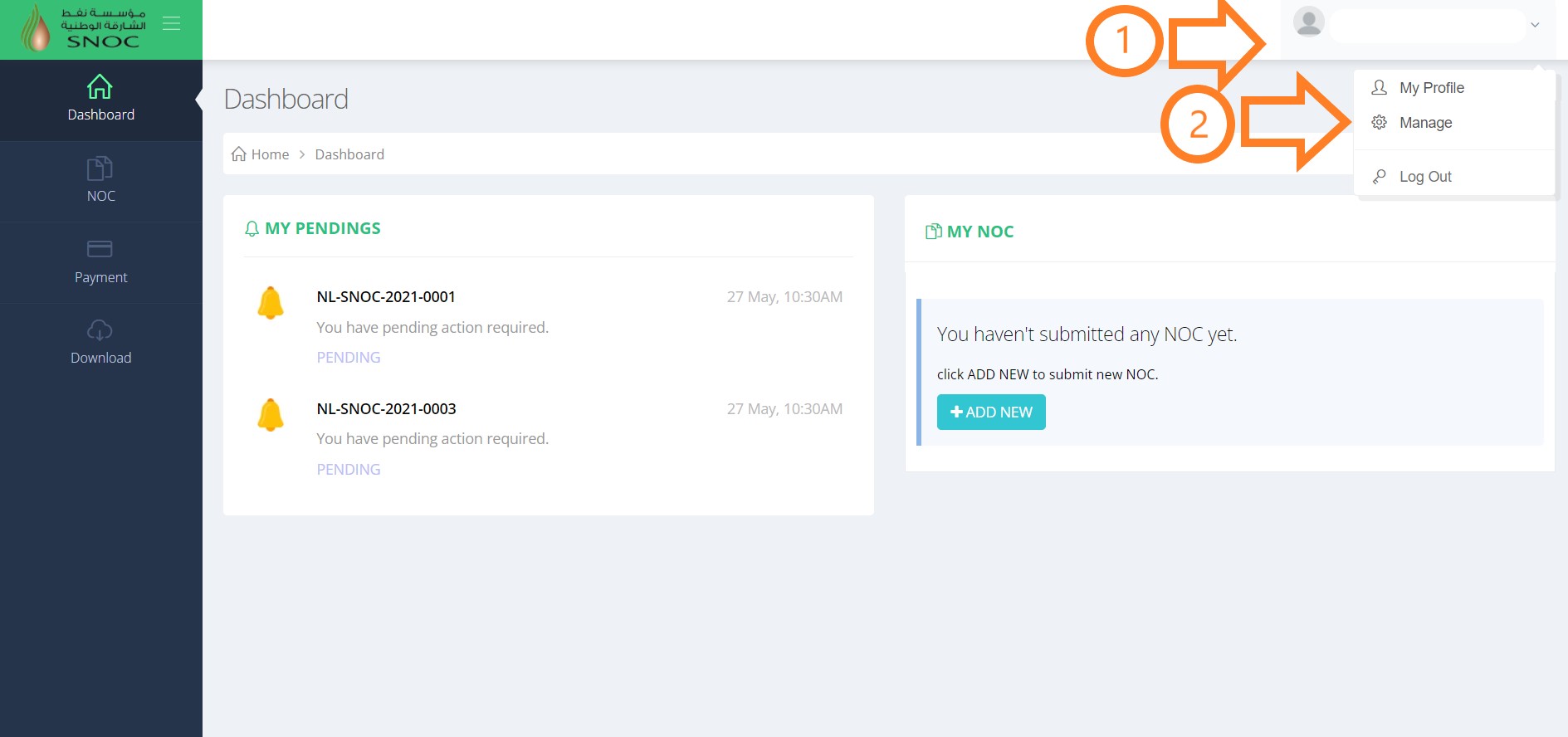
- On the next screen, you will see the option to change your password.
-
Fill in the blank fields with your current password and the password you want.
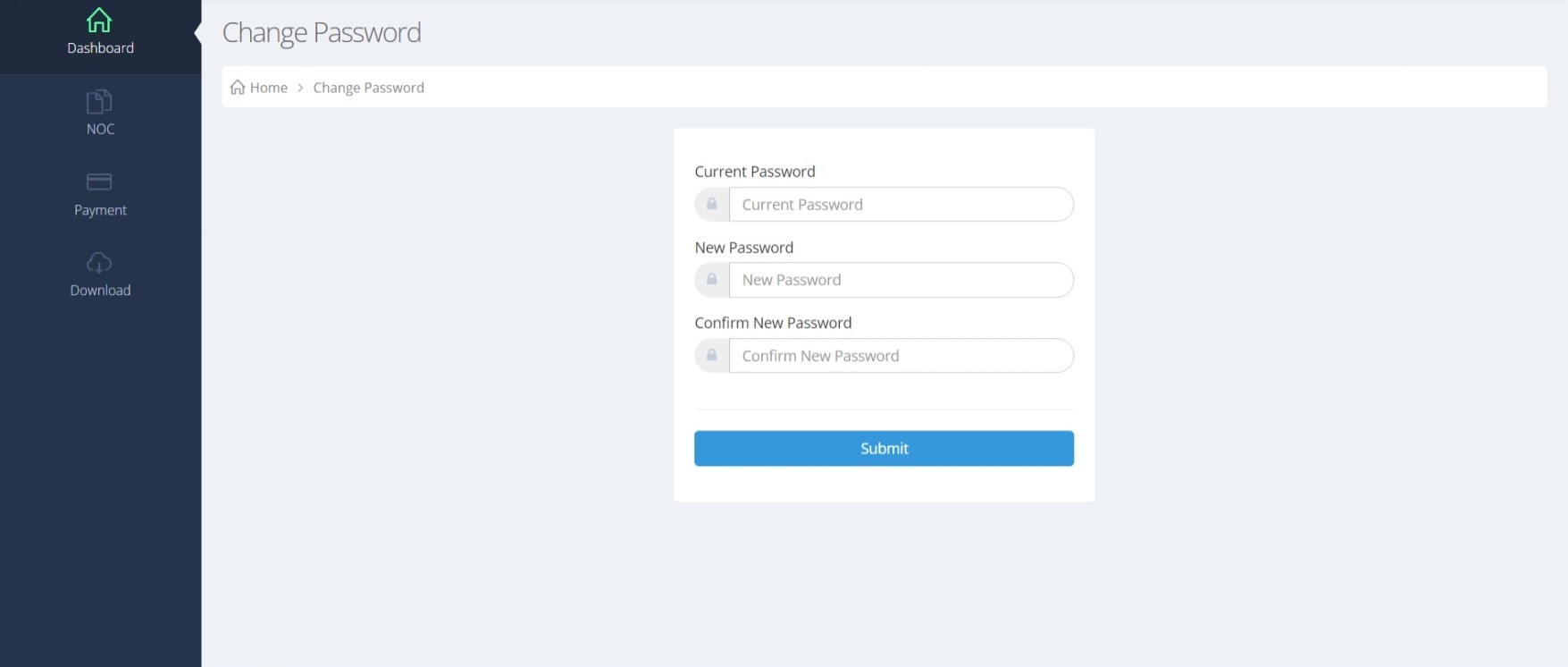
- Once you have filled all the required fields, click Submit at the bottom to update your password.